Message mode: the link with its slots, ready to paste
What is Message mode?
Next to Copy link, the Message tab (in the composer and in
the extension) drafts the accompanying text: a few genuinely-free
slots, then the link to pick another one. Copy message copies it
all, ready to paste into your email or LinkedIn message. The
FR / EN switch picks the language.
Can I change the message text?
Yes. In Settings, the message-template section holds one
template per language, with variables substituted at copy time:
%{candidate}, %{hiring_manager}, %{recruiter}, %{duration},
%{slots}, %{link} — type them, or insert them in one click with
the Insert chips. An unknown variable is refused when you save,
not discovered when you copy.
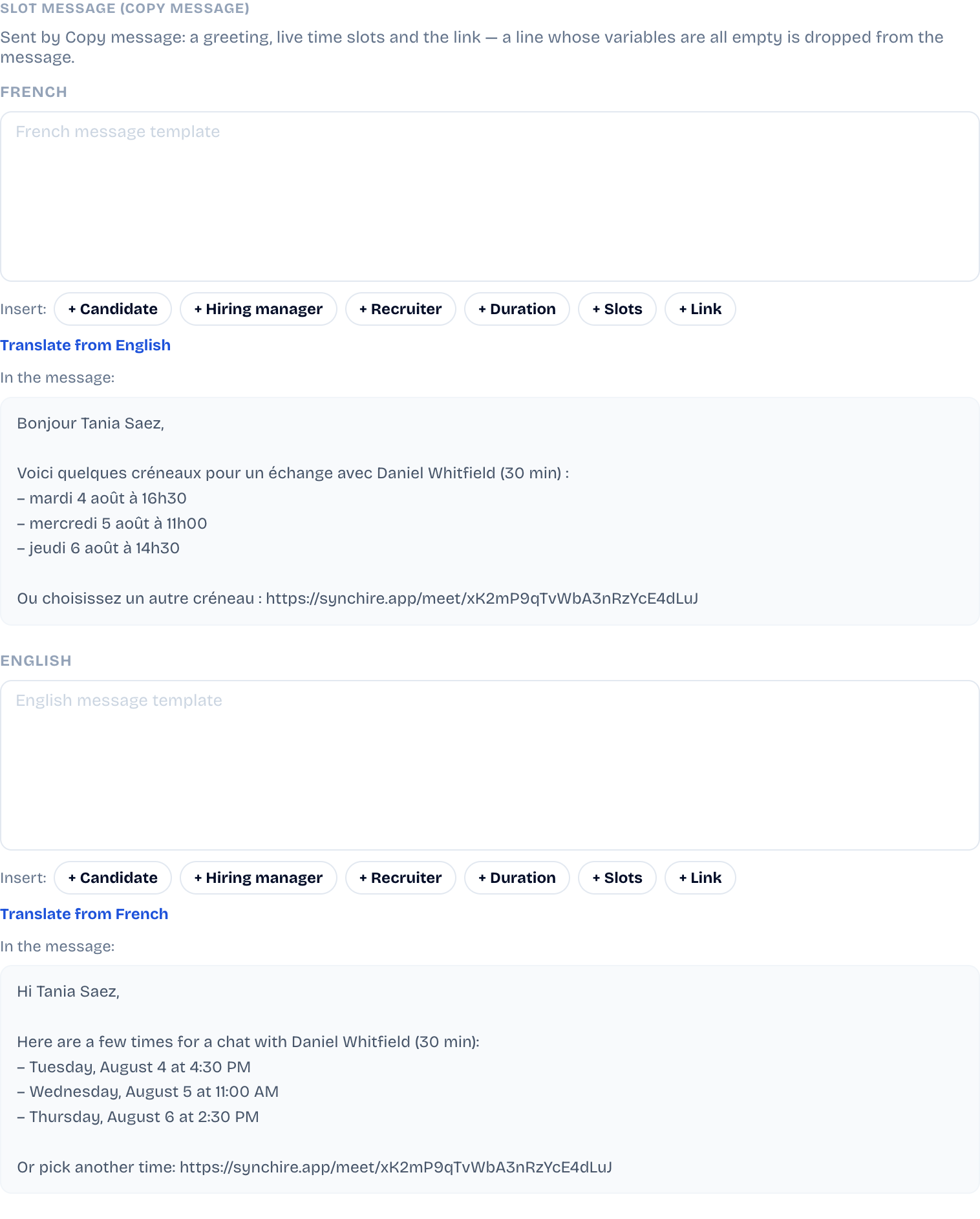
A line whose variables are all empty drops out of the message:
"Hi %{candidate}," removes itself on a reusable link with no
candidate.
What is the "Translate from French/English" button for?
When only one of the two templates is written, the button drafts the
other language from what you wrote. Nothing is sent on your behalf:
the draft fills the field, and you review and adjust it like any
edit.