Real availability, not guesses
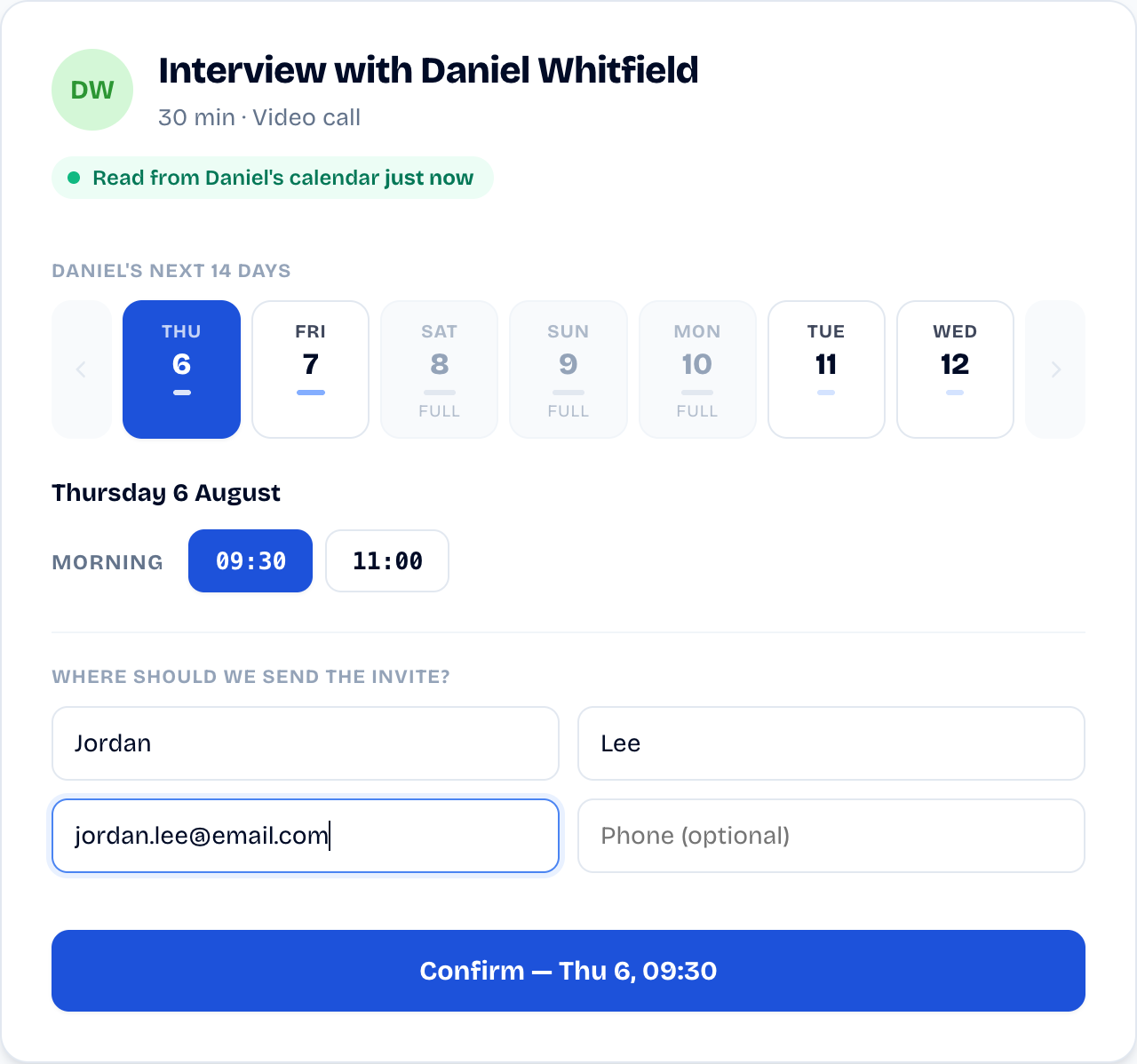
The offered slots are read live from the manager's calendar. If it's on the page, it's bookable, for real.
SyncHire offers your candidate only the times when the hiring manager is free, read live from their calendar. One link, one click: booked in under 30 seconds.
What would you do with your afternoons back?
Free plan · No credit card

“I watched too many recruiters lose hours lining up two calendars for a single interview. We built SyncHire so it all takes one link: real availability, zero follow-ups.”
You sit between two calendars you can't see: your client's and your candidate's. So you suggest times at random, wait for an answer, and by the time it arrives the slot is gone. Meanwhile your candidate waits, and the good ones don't wait long.
One email, one click, during the kickoff meeting. Read-only — Google Calendar or Outlook — once for the whole assignment. That's the right moment to ask.
The manager, the duration: the link is ready to copy, reusable for all your candidates. Add a candidate's name to mint a link that carries it and track that interview — "shared 5 days ago, still not booked." Share it however you like: email, LinkedIn, your ATS.
They only see genuinely free slots — in their own time zone —, fill in their email and phone, and book. The event lands in your calendar with the video link, and you're notified the moment they book.
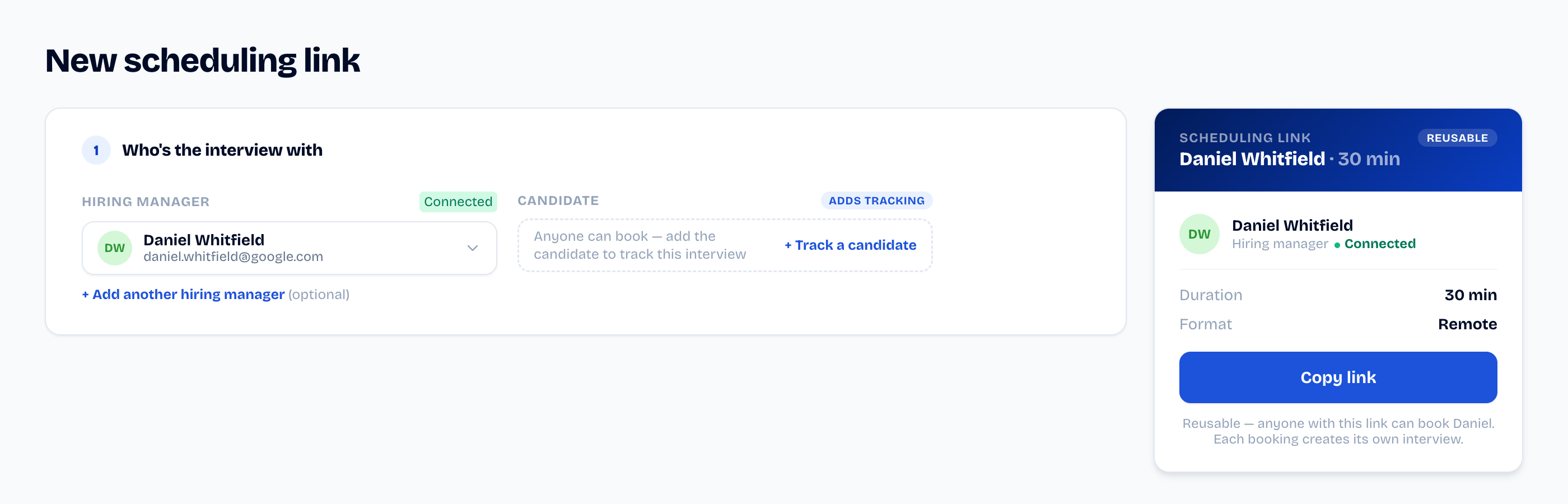
Copy it as is, or add the candidate's name to track who hasn't booked yet.
The offered slots are read live from the manager's calendar. If it's on the page, it's bookable, for real.
The candidate sees their name, not an anonymous Calendly — and you track every link you send: shared, pending, booked. You know who to follow up.
Booking creates the event in your calendar, with the video link (Google Meet or Teams), and invites everyone. No one to chase.
Copy a manager's link and share it as many times as you need: each booking creates its own interview. Your screening calls get a link too — your own.
Plans change? The candidate cancels or moves the interview themselves from their link, within the cutoff you set — without going through you.
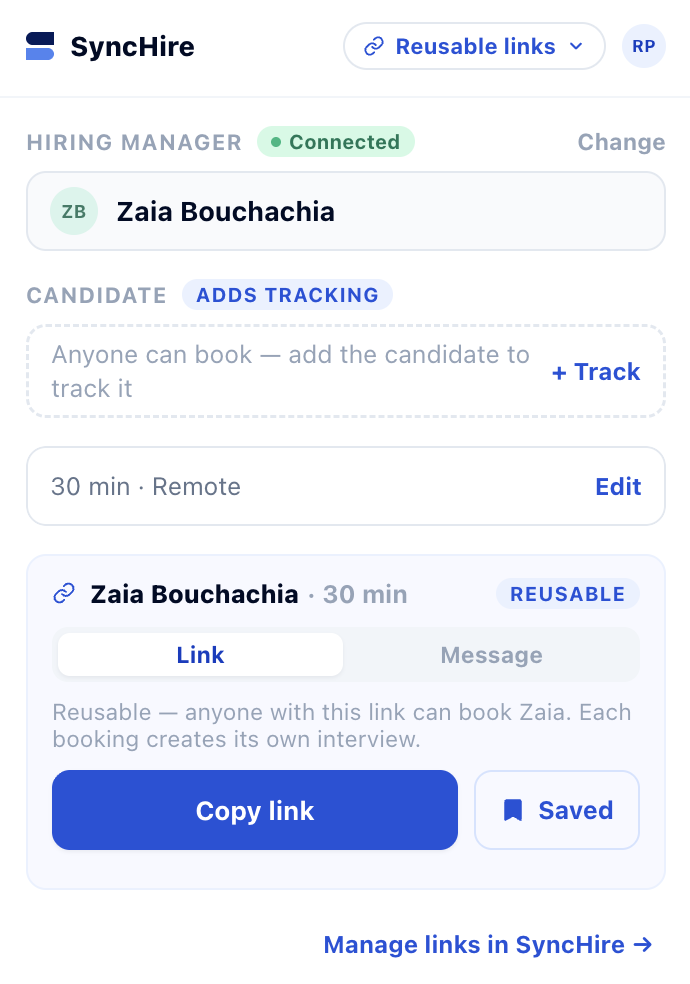
A browser extension to create a link without leaving Gmail or LinkedIn.
On a candidate's profile? Open SyncHire from your toolbar, pick the candidate and hiring manager, and the link lands on your clipboard.
Connecting a calendar means granting read-only access to free/busy times and nothing more. SyncHire never reads event details and never writes to the manager's calendar. Access is revocable at any time — built in France, RGPD-native.
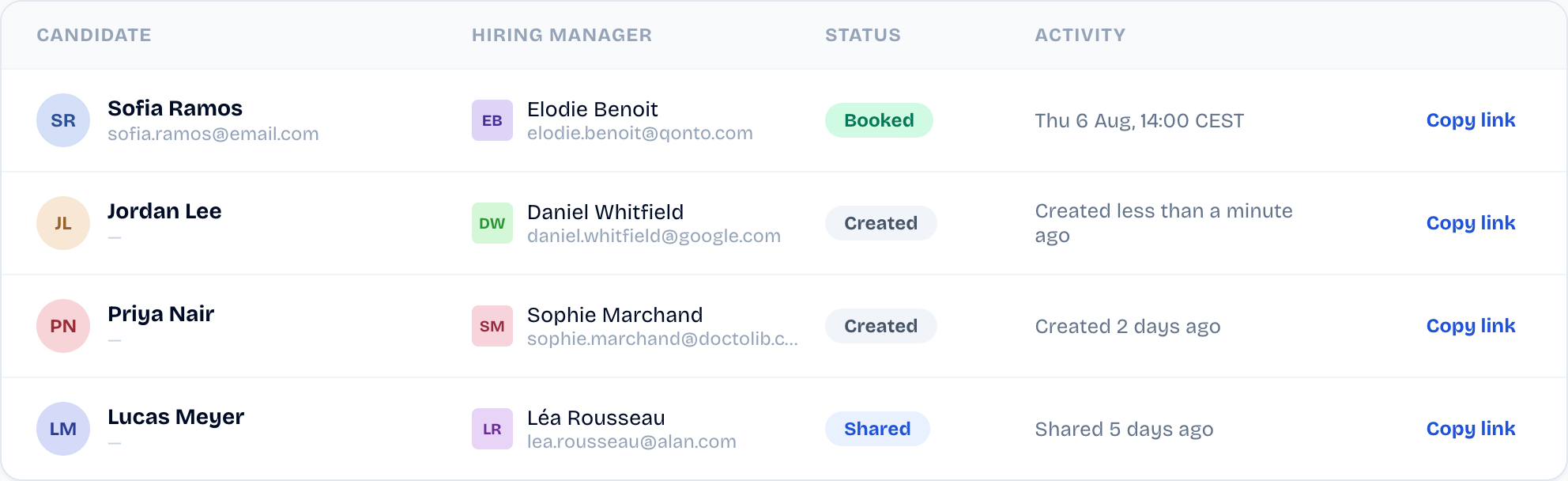
Shared, booked, cancelled: see at a glance where each link you've sent stands.
The page your candidate sees. If it's on the page, it's bookable.
Google Calendar and Outlook are supported.
€0/mo
Everything a solo recruiter needs — one seat, unlimited interviews.
€25/user/mo, excl. VAT
For agencies hiring at volume.
See how SyncHire compares to Calendly, GoodTime and others →
Create your organisation in two minutes and send your first link today.