Create a scheduling link
How do I create a scheduling link?
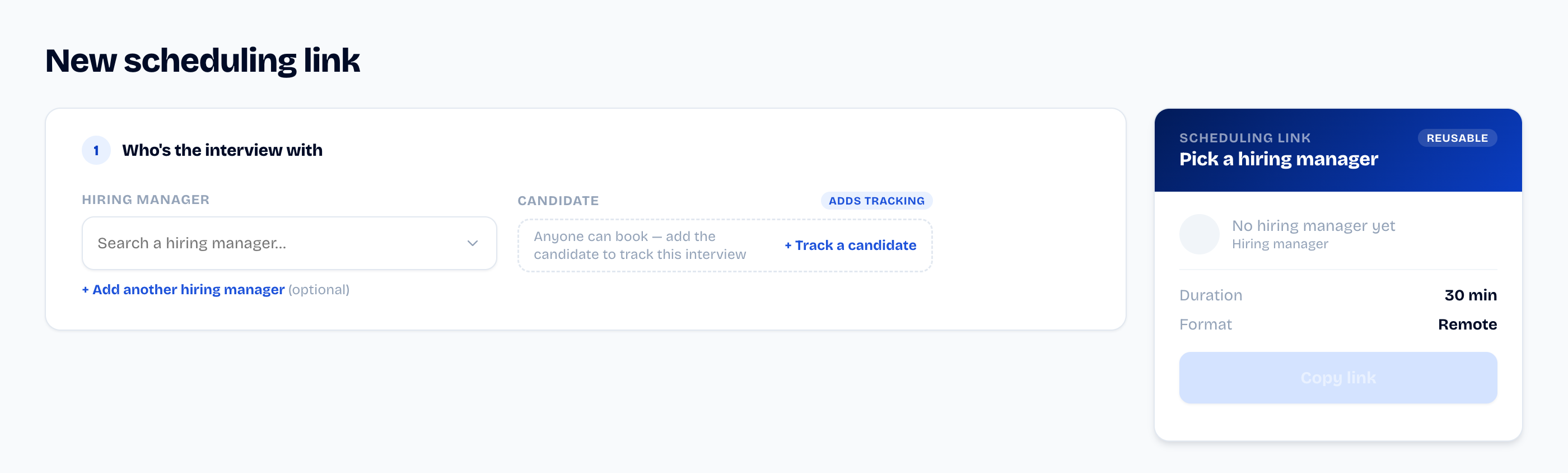
From the composer (New scheduling link), only one thing is
required: the hiring manager (their calendar must be connected).
- Pick the hiring manager — the reusable link is ready.
- Adjust the duration and format if needed.
- Click Copy link: the link is on your clipboard.
How do I track a specific candidate?
Add the candidate's first and last name in the Candidate column
("Adds tracking") before copying. SyncHire then mints a single-use
link carrying the candidate's name, and Scheduled events shows
you if they haven't booked yet — "shared 5 days ago, still not
booked."
How do I share the link?
Paste the copied link into your usual channel: email, LinkedIn…
SyncHire never emails the candidate on your behalf at this step.
Copying counts as sharing: tracking starts at that moment.
Did this article help?